 LocalRec
See the day by space
Each field, court or room has its own column, open to close. A booking shows the customer, the time, where it was booked and what's still owed.
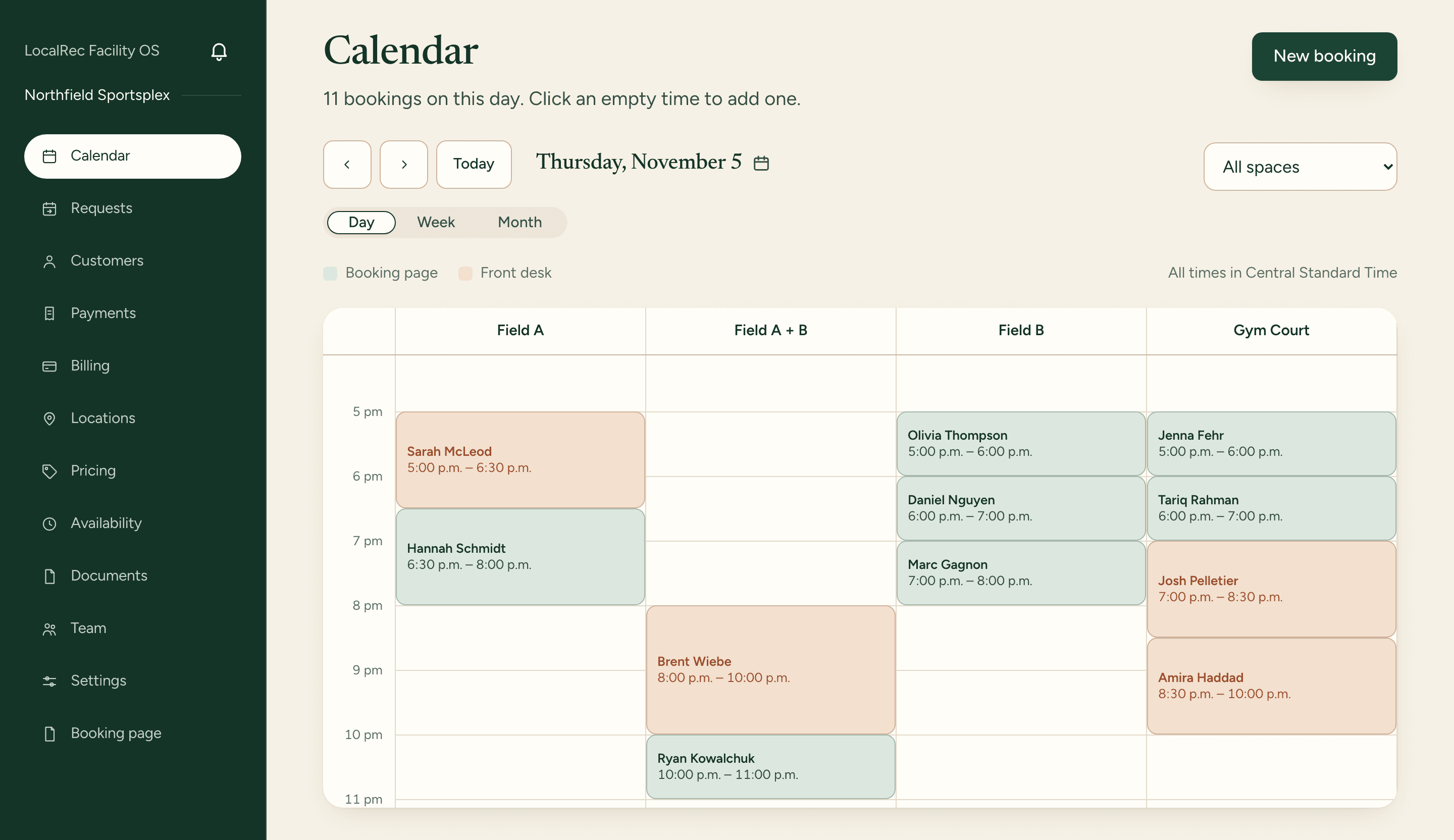
Online, phone and walk-in bookings on one calendar, laid out by space.
Each field, court or room has its own column, open to close. A booking shows the customer, the time, where it was booked and what's still owed.
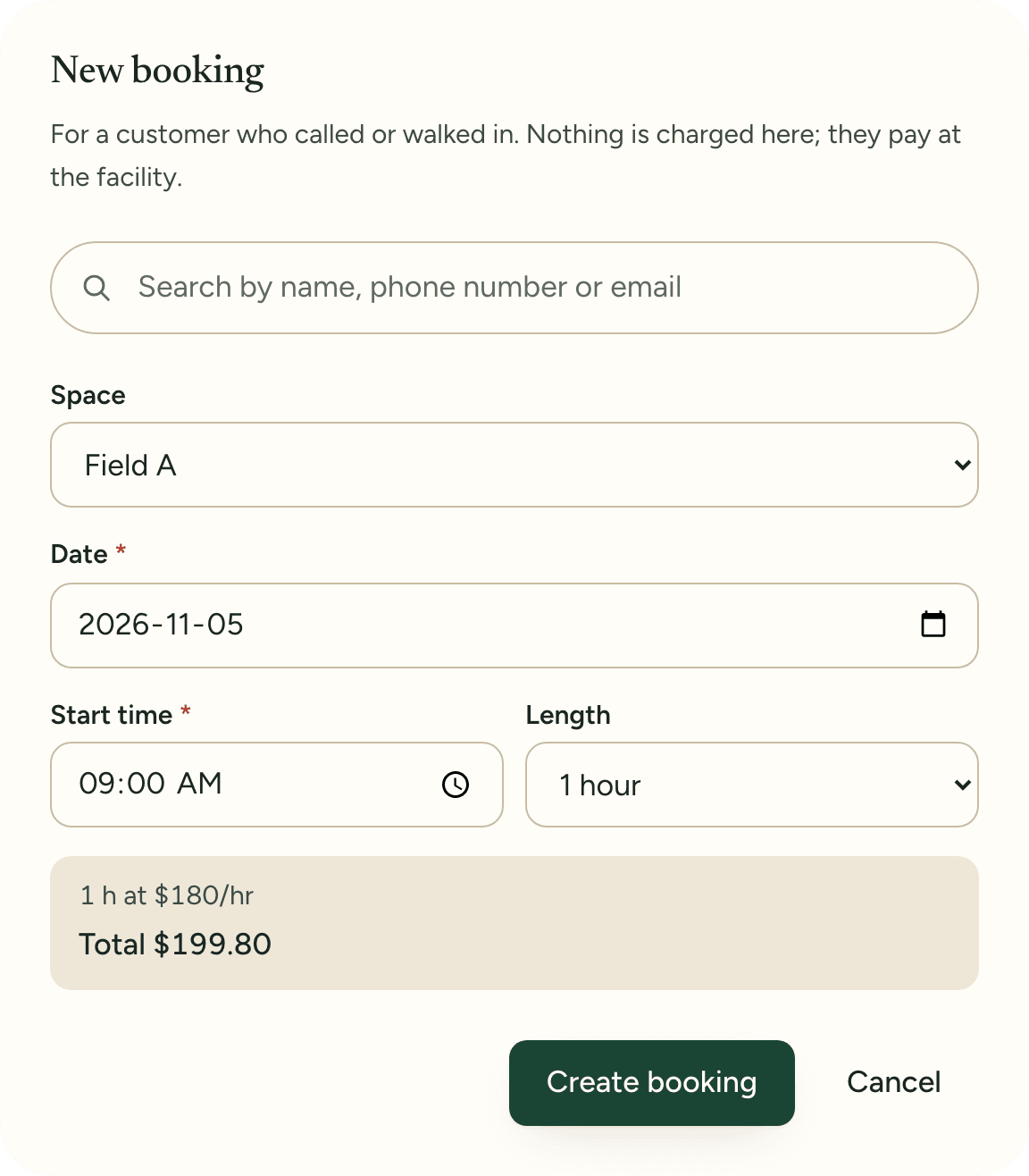
Click an empty time, pick the customer or add a new one, and save. LocalRec checks for clashes, and the time comes off your booking page.
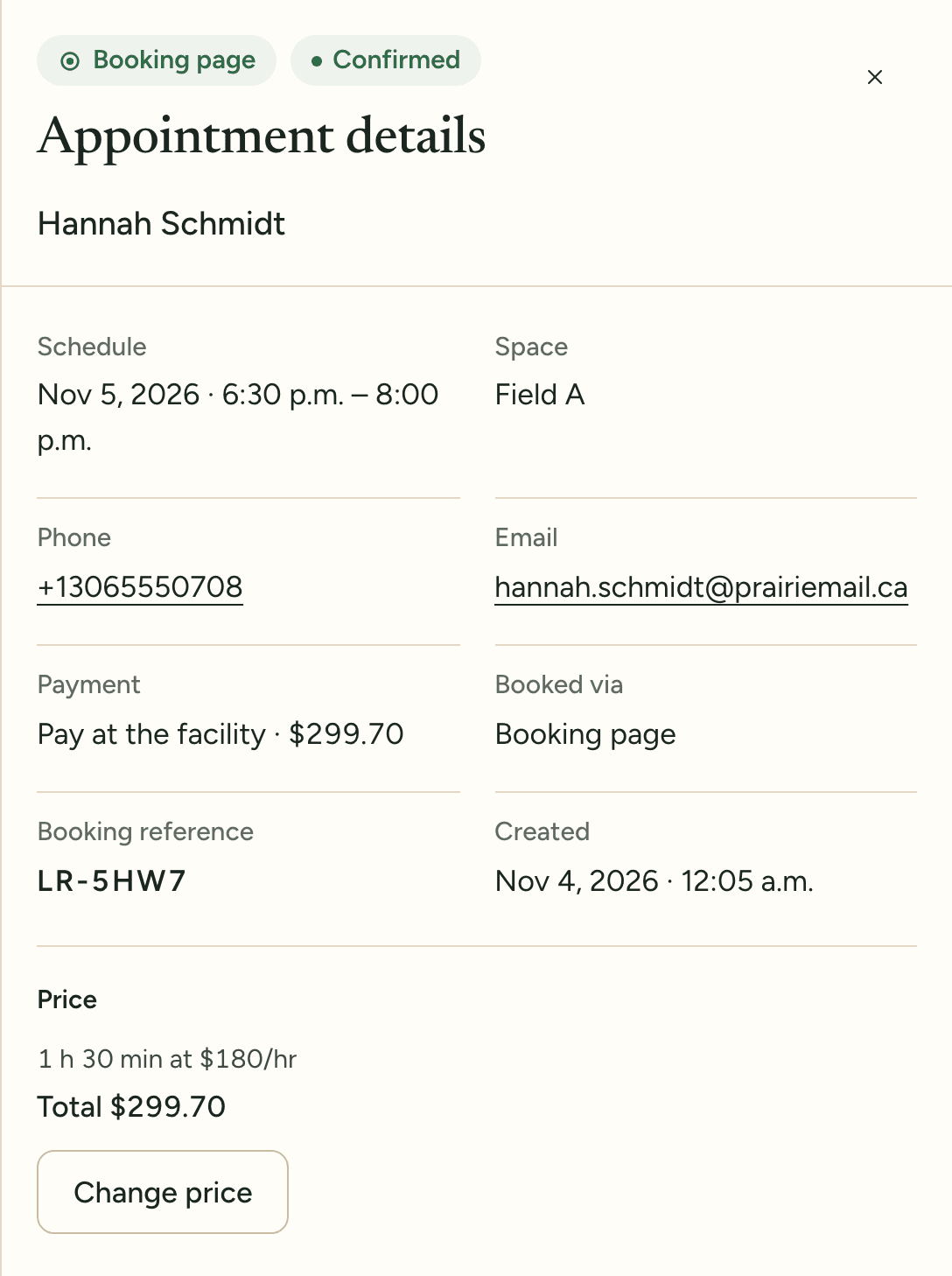
Open a booking to move it, change its price, or cancel it with the refund shown first.
Book a demo and one of our team will add your spaces, rates and memberships with you, so your booking page can go live this week.